Bring scattered improvement work into one system
Moving from spreadsheets or another CI platform should not mean starting over. Import supported idea fields and KPI entries from Excel or CSV, then review the result before bringing the rest of your improvement work into one place.
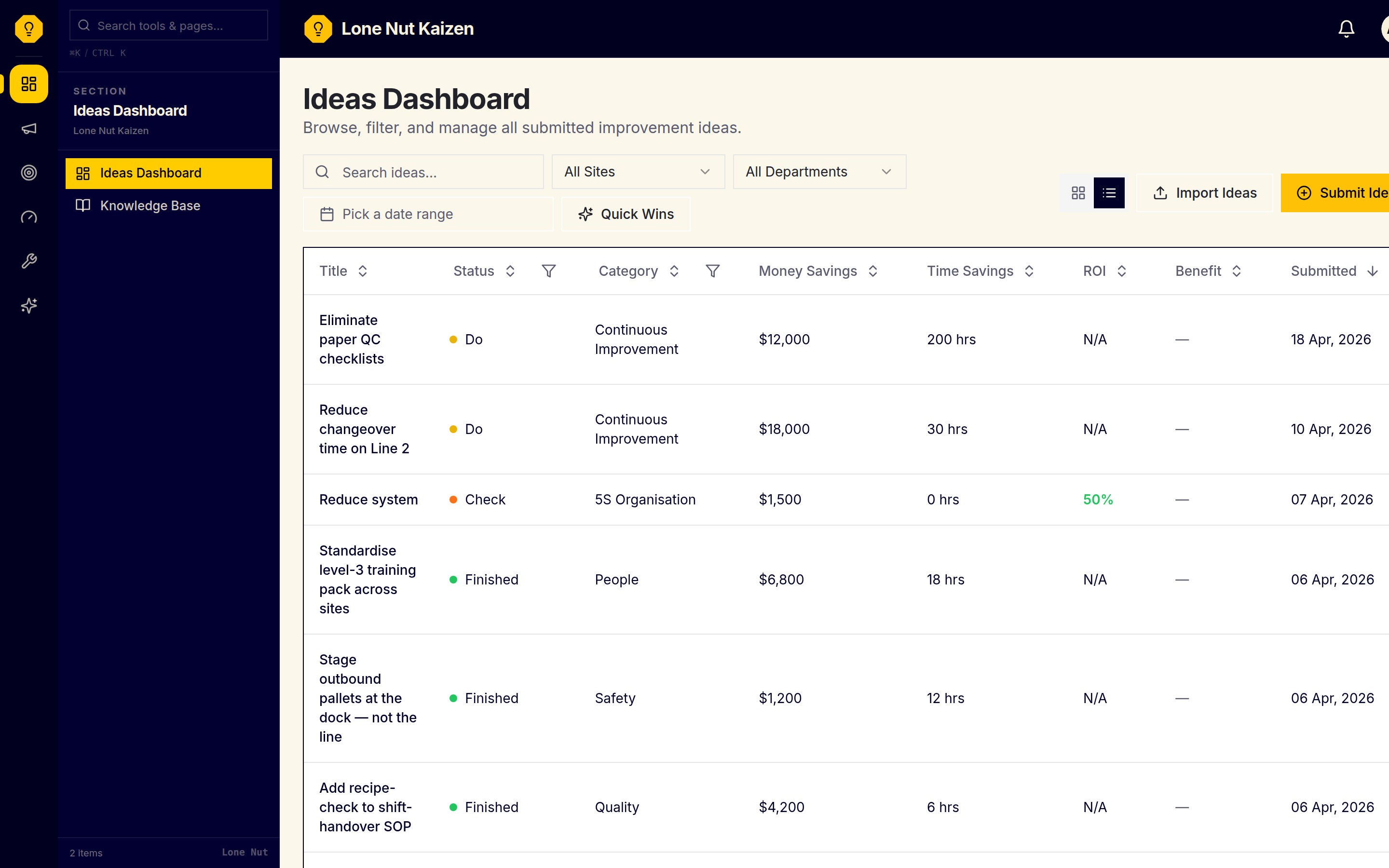
Know what can move before you plan the switch
A small sample helps you confirm the column mapping and see which records can join the improvement system without disturbing existing work.
Column names and required fields vary between tools, so moving the work can stall before the first row is accepted.
Idea records and KPI history may be in different exports. Importing them separately lets you bring the work together and check each result without replacing existing records.
The importer creates new ideas and appends KPI entries, but it does not bring over comments, attachments, tasks, or existing IDs.
Start with the work your team needs to keep moving
The records below can be imported through Excel or CSV. Other record types can be created in the platform but are not imported here, so you can plan the move with clear limits.
Excel/CSV import creates new ideas from title, description, category, site, department, implementation effort, money savings, and time savings. Each gets a new ID and import timestamp, starts in Plan, and is assigned to the importing user.
Append dated numeric values to an existing KPI by name. Each row gets a new entry ID; the importer does not detect duplicates, so do not re-upload accepted rows.
Set these up first in Admin → Sites and Admin → Departments. The idea import matches rows by site and department name.
Add your team from Admin → Users. Each member signs in with email and password or Google.
Not imported today
These record types are not part of the current bulk import. They can be created in the app after migration.
- SOP records
- Kanban cards
- Process maps
- Fishbone and 5 Whys records
- Existing idea statuses, owners, and KPI links
- Comments and file attachments
- Idea tasks
Use a sample before the full file
Export a CSV or Excel file from the current tool, or prepare the spreadsheet you already use. Keep a copy of the source file before changing its columns.
Inside the dashboard, download the idea template or the KPI template. Copy your data into the matching columns, and create the sites, departments, and KPI names in Admin before uploading.
Upload the file to see how many rows were imported and skipped. Imported ideas start in Plan under the importing user; KPI rows append new entries. Fix skipped rows and upload only those rows to avoid duplicates.
What you need first
If the current tool can export to CSV or Excel, or the work is already in spreadsheets, you have a source file to prepare. Sites, departments, and KPI definitions need to exist in the account before matching rows can be imported.
The two current templates
Both templates are downloadable from inside the app with the expected headers and a sample row.
| Field | Required | Notes |
|---|---|---|
| title | Required | Short summary of the idea |
| description | Optional | Full context, problem, proposed change |
| category | Optional | Copied when supplied; use an app category such as Efficiency, Savings, People, Quality, Environment, 5S or Safety |
| siteName | Required | Must match a site in your organization |
| departmentName | Required | Must match a department within that site |
| implementationEffort | Optional | Use the app's effort labels, such as Simple, Moderate or Complex |
| moneySavings | Optional | Annual estimate, currency-neutral number |
| timeSavings | Optional | Hours saved per year |
| Field | Required | Notes |
|---|---|---|
| kpiName | Required | Must match an existing KPI in your organization |
| date | Required | ISO format, YYYY-MM-DD |
| value | Required | Numeric value for that date |
Create your KPIs first in Admin → KPIs so the import can match by name.
Send a sample when a column is unclear
Email support@lonenutkaizen.online with a sample export and a short note about what you are moving. Support can reply with:
- How the export columns map to the template fields
- Changes needed before the file can be imported
- What to check on the dashboard after a test import
- A repeatable mapping for later sites or KPIs
Send a small sample rather than a full export when asking for mapping help.
What the import does
- Existing work remains available: importing rows does not update or delete existing records.
- Separate organization records: imported data lives in your organization and is not combined with another organization’s records.
- Export the supported top-level data: the profile export provides an Excel workbook with ideas, KPI definitions, sites, departments, users and process maps. It does not include complete KPI entry history or idea comments, attachments and tasks.
Migration FAQ
A controlled import gives your existing ideas and KPI history a clear route out of scattered spreadsheets and into the system your team uses to keep improvement moving.